Hosting vs Domain vs DNS: What’s the Difference
You can own amazingbusiness.com for ten years and never have a working website. A domain name is just a reservation, a human-readable address like example.com that people type into a browser. By itself, it does nothing. It doesn’t store files. It doesn’t run code. It just points somewhere, and if nothing’s on the other end of that pointer, visitors get an error.
Domain, Hosting, and DNS Are Three Separate Jobs
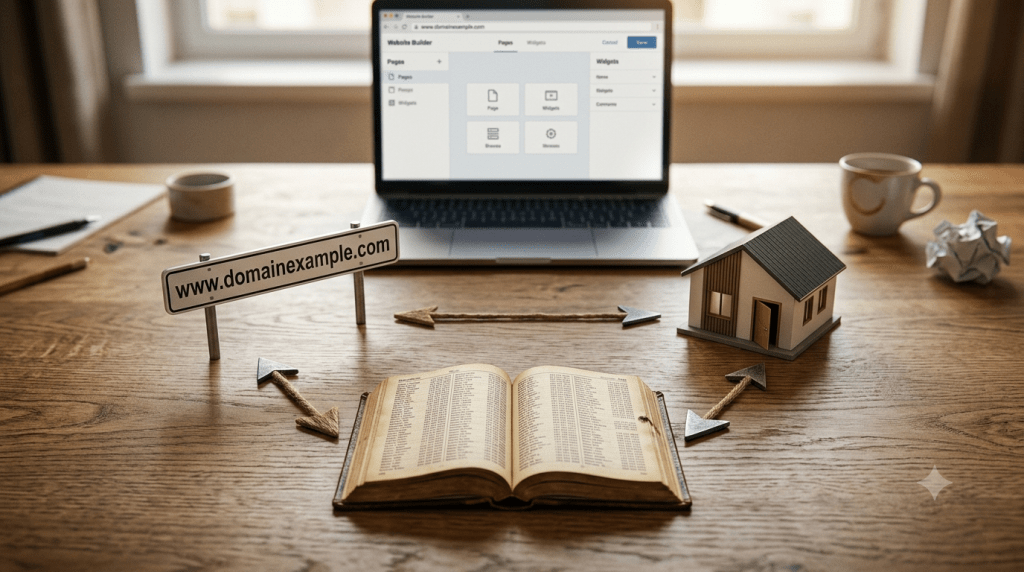
A domain name is the address. Web hosting is the storage space where your actual website files, images, and database live, the “building” the address points to. DNS, the Domain Name System, is the map connecting the two, translating your domain into the numeric IP address that computers actually use to find that building. You need all three working together. None of them alone makes a website.
What a Domain Actually Does
A domain name only directs traffic. It’s rented for a set period through a registrar, a company like GoDaddy or Namecheap where you register the name. You don’t own it outright, and you don’t own it forever. Miss a renewal, and someone else can register it. That’s the entire function of a domain: reserve a name, point it somewhere, nothing more.
What Hosting Actually Does
Web hosting is where your website genuinely exists. Your files, your images, your database, all of it sits on a hosting provider’s server. When a visitor’s browser reaches that server, hosting is what actually serves the page they see. If your hosting account expires or goes down, your domain can still resolve correctly, pointing exactly where it’s supposed to, but visitors will hit an error anyway, because there’s nothing left on the other end to serve them.
What DNS Actually Does
DNS is the part almost every explanation calls “the phonebook” and then moves past too quickly. Every domain needs to be translated into an IP address, since that’s what servers actually understand, not domain names. When you type a domain into your browser, DNS looks up which IP address that name currently points to and sends your request there. Without DNS, you’d have to type a string of numbers instead of a name every time you wanted to visit a site. For the record types that make this translation work, see DNS records explained.
These Three Are Independent, and You Can Mix Providers
This is the part that trips up most beginners. Domain registration, DNS management, and web hosting are three genuinely separate services, and nothing requires you to buy them from the same company. You can register your domain with one registrar, host your files with a completely different web host, and manage your DNS records through a third provider entirely, something like Cloudflare. Plenty of experienced site owners deliberately split these across providers for flexibility and security. It’s also exactly why beginners get stuck: three separate dashboards, three separate logins, and no single company to blame when something breaks.
| Layer | What It Does | Who Provides It | What Breaks If It Fails |
|---|---|---|---|
| Domain | Reserves a human-readable name | A registrar, like GoDaddy or Namecheap | The domain expires and becomes available for anyone else to buy |
| DNS | Translates the domain into an IP address | A DNS host, often the registrar, but can be separate | The domain resolves to the wrong IP, or nothing at all |
| Hosting | Stores and serves your actual website files | A web host, like SiteGround or a VPS provider | The domain resolves fine, but the site times out or errors |
How the Three Actually Connect
The full workflow runs in order. First, you register a domain through a registrar. Then you point that domain’s nameservers to a DNS host, which might be the same registrar or a separate service. Next, you configure the actual DNS records, most importantly an A record, pointing your domain to your web host’s IP address. After that, you upload your website’s files to the hosting server itself. Once all of that’s in place, a visitor typing your domain triggers DNS to resolve it to the correct IP, and hosting delivers the actual page. Skip or misconfigure any single step, and the chain breaks, even if every other step was done correctly.
Diagnosing Which Layer Actually Failed
Knowing which of the three broke saves enormous troubleshooting time. A domain-level problem usually shows up as a “server IP not found” type error, meaning DNS can’t even locate a destination. A DNS problem typically looks like your domain loading a completely unrelated website, or timing out entirely, because an A record is pointing at the wrong IP address. A hosting problem is different again: DNS successfully resolves your domain to the correct server, but the site itself times out, shows an error page, or simply doesn’t load, because the server it’s pointing to isn’t serving anything usable. This distinction, whether DNS found the wrong address or found the right address with nothing behind it, is the fastest way to know where to actually start fixing things.
A Few Realities Worth Knowing
You can absolutely use different companies for your domain and your hosting; it’s common practice, not a mistake. If your hosting expires but your domain doesn’t, your domain still resolves normally, but visitors hit errors because there are no files left being served. And domain privacy, sometimes called WHOIS privacy, is a domain-specific feature that hides your personal registration details from public lookup. It has nothing to do with hosting security or DNS, despite often getting lumped in with “website security” by beginners.
For a deeper look at how DNS actually finds the right answer once it’s pointed correctly, see what is authoritative DNS. And once you understand this three-layer structure, choosing the right hosting provider for your side of it is covered in how to choose web hosting.
FAQ
What’s the actual difference between domain, hosting, and DNS?
A domain is the address people type. Hosting is where your website files actually live. DNS is what translates the address into the numeric location hosting is found at. See the sections above for how they connect and what breaks when one fails.
I bought a domain. Why can’t I see my website?
Because a domain alone doesn’t include hosting or a configured DNS connection. You need to set up hosting separately and point your domain’s DNS records to it before anything appears.
Do I need to buy hosting from the same company as my domain?
No. They’re separate services by design, and many site owners deliberately use different providers for each.



