How to Choose Web Hosting
Shared hosting, the cheapest and most common starting point where multiple sites split one server’s resources, reliably handles up to roughly 10,000 monthly visitors when paired with proper caching. Most people shopping for hosting are told to think bigger than that from the start, largely because VPS and dedicated plans carry higher margins for the companies selling them. The honest starting question isn’t “which hosting sounds most powerful,” it’s “what does my actual traffic require.”
Match Hosting to Traffic, Not Ambition
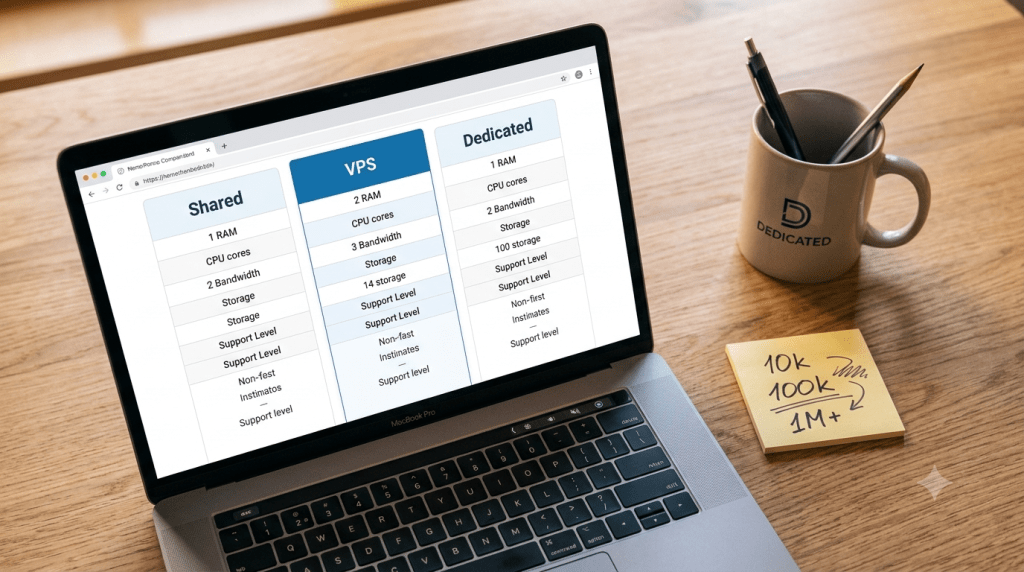
| Hosting Type | Monthly Visitors | Best For | Upgrade Trigger |
|---|---|---|---|
| Shared hosting | Up to 10,000 | Blogs, portfolios, small business sites | Traffic consistently exceeds 10k, or you need custom software |
| VPS hosting | 10,000 to 100,000 | Growing businesses, e-commerce, custom applications | Shared hosting’s CPU or RAM limits get hit regularly |
| Dedicated server | 100,000+ | Enterprise sites, high-traffic e-commerce, data-heavy applications | VPS resources are maxed, or compliance requires full hardware isolation |
These aren’t marketing thresholds. They reflect where each infrastructure type’s resource ceiling actually sits, covered in more technical detail in why is shared hosting slow.
The Four Main Hosting Types, Briefly
Shared hosting pools CPU, RAM, and storage across many accounts on one server, keeping cost low at the expense of resource contention. VPS hosting, covered fully in what is a VPS in plain English, virtualizes a guaranteed slice of a shared physical machine, removing the noisy neighbor problem without the cost of an entire server. A dedicated server, detailed in what is a dedicated server, hands you an entire physical machine with no sharing at all. Cloud hosting distributes resources across multiple physical servers with the ability to scale automatically during traffic spikes, trading some raw performance ceiling for elasticity none of the other three offer on their own.
Speed Isn’t a Feature, It’s Revenue
This is where generic buying guides understate the stakes. A 100 millisecond delay in load time can cost roughly 1 percent of sales on an e-commerce site, and bounce rates climb sharply once load time crosses the 2 to 3 second mark on content sites. Every second of delay has a measurable cost attached to it, not a vague “user experience” downside. The practical implication: for most sites under that 10,000 monthly visitor threshold, well-configured caching on shared hosting delivers sub-2-second load times reliably, which means the bottleneck for a slow site is usually poor optimization, not the hosting tier itself.
The Technical Skill Requirement Most Guides Underplay
VPS hosting gets described as needing “some technical knowledge,” a phrase that undersells what unmanaged VPS actually demands. An unmanaged VPS makes you responsible for operating system updates, security patching, firewall configuration, and disaster recovery, starting from a blank machine. A single misconfigured firewall rule can lock you out of your own server entirely. Anyone without server administration experience considering an unmanaged VPS should weigh that responsibility seriously before the traffic numbers alone push them toward upgrading.
Renewal Price Shock: The Complaint Nobody Warns You About
Introductory pricing is often dramatically lower than what you’ll actually pay going forward. A plan advertised at a few dollars a month can jump two to three times higher at renewal, once the promotional period ends. Before buying, checking the renewal rate specifically, not just the advertised first-term price, prevents this from becoming an unpleasant surprise on your second invoice.
How to Actually Test Support Before Buying
Most buying guides say “check for 24/7 support” and stop there. A more useful test: ask a specific technical question during the sales process, before you’ve committed to anything, and evaluate how quickly and accurately the response comes back. Sales-stage support interactions reveal more about a provider’s actual competence than any star rating, since you’re seeing how they handle a real question rather than reading someone else’s secondhand account of it.
The Blame Game Problem
In a typical WordPress setup, your hosting provider, your theme developer, and your plugin authors are usually three entirely separate companies. When something breaks, each one can plausibly point to the others, leaving you stuck debugging an issue nobody wants to own. This is a real, uncounted cost of piecing together hosting, themes, and plugins from unrelated vendors, and it’s part of what managed WordPress hosting is specifically built to reduce, by consolidating more of that responsibility under one provider.
Reliability and Security Basics Worth Confirming
Reputable hosts publish a Service Level Agreement, or SLA, committing to 99.9 percent uptime or higher, a baseline worth checking rather than assuming. SSL certificates, firewalls, and regular security monitoring should be included as standard rather than treated as premium add-ons, though it’s worth confirming exactly what’s bundled versus what costs extra, since this varies significantly between providers advertising similar price points.
Your Upgrade Checklist
A few concrete signals indicate it’s genuinely time to move up a tier, rather than simply feeling like your site “should” be on something bigger:
- Traffic consistently exceeds roughly 10,000 monthly visitors, not just an occasional spike
- You’re regularly hitting CPU or RAM limits on shared hosting despite reasonable optimization
- You need custom software or root access that shared hosting environments don’t allow
- Compliance or security requirements demand hardware isolation a shared or virtualized environment can’t provide
If none of these apply, staying on your current tier and optimizing what you have is usually the better use of both money and effort.
FAQs
How do I choose web hosting?
Match the plan to your actual traffic and technical comfort level rather than the biggest tier you can afford. Shared hosting handles most sites well below 10,000 monthly visitors; look at the checklist above before assuming you need more.
How many monthly visitors can shared hosting actually handle?
Generally somewhere between 5,000 and 10,000 safely, assuming proper server-level and browser caching are in place, though the exact number depends on how resource-intensive the site itself is.
Can I upgrade my hosting plan later without starting over?
Yes. Most providers support relatively seamless upgrades from shared to VPS or beyond, which is why starting with what your current traffic actually needs, rather than overbuying upfront, is usually the more practical approach.



