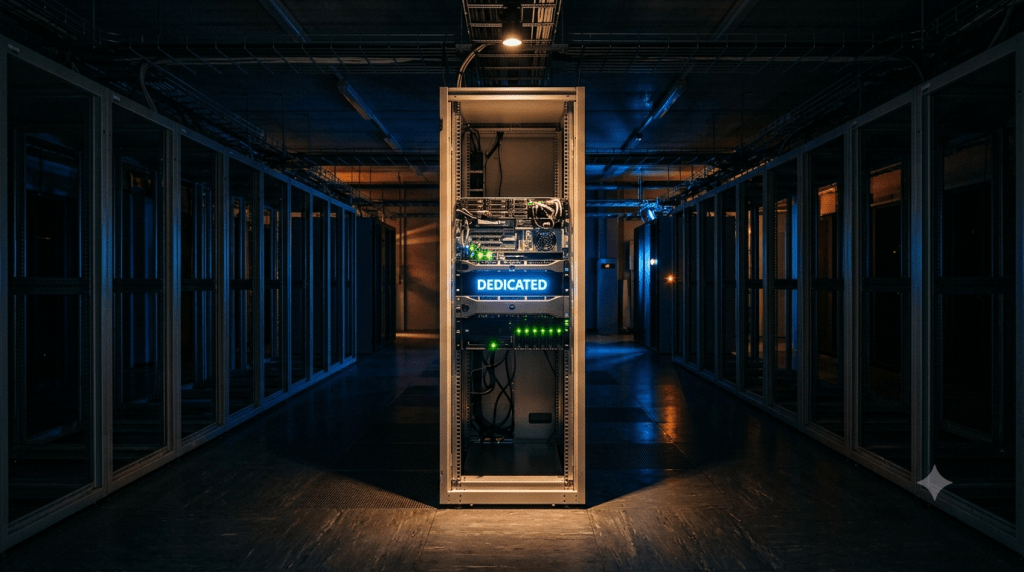
What Is a Dedicated Server
A physical server, one entire machine sitting in a data center, allocated to exactly one customer, is what a dedicated server actually is. Nothing about it is virtualized or shared. Every CPU core, every gigabyte of RAM, every bit of storage belongs to you alone, which is a very different arrangement from renting a slice of a machine other accounts are also using.
How a Dedicated Server Actually Works
The hardware, CPU, RAM, storage drives, and network interfaces, sits in a data center connected to high-speed internet infrastructure. You get root access, full administrative control over the operating system and every piece of software installed on it, and nothing else touches that hardware simultaneously. There’s no hypervisor, the virtualization software that VPS and cloud servers rely on to divide one physical machine into several virtual ones, running underneath you at all. You’re talking directly to bare metal.
Dedicated Server vs Bare Metal Server: Not Always the Same Thing
These terms get used interchangeably in most consumer explanations, but in enterprise contexts they diverge. “Bare metal server” often specifically refers to single-tenant physical hardware provisioned through cloud-like APIs, spun up on demand similar to a cloud instance, just without virtualization underneath. “Dedicated server” more commonly describes traditional single-tenant hosting, provisioned manually by a hosting provider’s team rather than through an automated API. Both describe hardware belonging to one customer; they differ mainly in how quickly and automatically that hardware gets provisioned.
The Hosting Spectrum: Where Dedicated Fits
Shared hosting pools resources across many accounts on one machine, the cheapest option but the most exposed to what’s covered in why is shared hosting slow, the noisy neighbor problem where one account’s traffic spike degrades everyone sharing that pool. A VPS, explained in what is a VPS in plain English, virtualizes a guaranteed slice of a shared physical machine, solving the noisy neighbor issue without giving you the whole machine. A dedicated server removes sharing entirely. A cloud server takes a different approach again, distributing resources across multiple physical machines with the ability to scale or migrate automatically, trading the raw performance ceiling of dedicated hardware for elasticity a single physical box can’t offer.
Managed vs Unmanaged: The Decision That Actually Matters
Most explanations treat “dedicated vs shared” as the real decision. It isn’t, not entirely. The management model determines whether a dedicated server is even realistic for you. An unmanaged dedicated server hands you a blank machine: you handle the operating system installation, every security patch, ongoing monitoring, and backups yourself, starting from nothing. A managed dedicated server includes provider-handled maintenance, meaning the hosting company takes on OS updates, security patching, and monitoring on your behalf. Someone without server administration experience choosing unmanaged dedicated hosting is choosing a part-time systems administrator job they didn’t know they signed up for.
What Nobody Warns You About
Provisioning Isn’t Instant
A dedicated server isn’t available in seconds the way a cloud VM is. You’re waiting on actual hardware procurement, physical racking, cabling, and OS installation, a process that commonly takes hours to multiple days depending on the provider. This makes dedicated hosting a poor fit for sudden, unplanned scaling needs, since there’s no way to spin up capacity mid-traffic-spike the way cloud infrastructure allows.
Hardware Failure Is a Full Stop, Not a Graceful Handoff
Cloud environments can automatically migrate a workload off a failing physical node with minimal disruption. A dedicated server has no such fallback built in by default. If a component fails, everything stops until the provider physically replaces it. Redundancy features like RAID, a storage configuration that mirrors data across multiple drives, and dual power supplies reduce this risk, but they add cost and don’t eliminate the underlying single-point-of-failure reality entirely.
Root Access Cuts Both Ways
Full administrative control is the headline benefit, and it’s also the risk almost nobody mentions clearly. One misconfigured firewall rule can lock you out of your own server. One unpatched vulnerability, left unaddressed because there’s no managed provider catching it for you, can compromise the entire machine. With an unmanaged dedicated server, the disaster recovery plan is entirely yours to build and execute, not something a support team handles by default.
IPMI: The Lifeline When the OS Won’t Respond
When a dedicated server becomes unresponsive at the operating system level, IPMI, or Intelligent Platform Management Interface, provides a separate, out-of-band management channel that keeps working even when the main OS is down. This lets you or the provider’s remote hands, physical data center staff who can perform hands-on tasks on your behalf, troubleshoot and recover a server that would otherwise require a physical site visit to fix. Most consumer-facing guides never mention this exists, despite it being critical infrastructure for anyone actually running unmanaged dedicated hardware.
Colocation: The Rental Alternative Nobody Explains
Most explanations only cover dedicated server rental, where the provider owns the hardware and leases it to you monthly. Colocation works differently: you purchase the physical hardware yourself, then pay a data center provider for space, power, and cooling to house it. This flips the cost structure entirely, high upfront hardware cost, lower ongoing monthly fees, compared to rental’s low upfront cost and higher recurring payments. It’s a legitimate option for organizations with capital to invest upfront and specific hardware requirements a standard rental catalog doesn’t offer.
The Cost Inversion: When Dedicated Gets Cheaper Than Cloud
Dedicated hosting typically gets framed as simply “more expensive” than cloud alternatives. That’s true at small scale and often reverses at larger scale. A cloud instance with resources comparable to a mid-tier dedicated server can run several hundred dollars a month, while a dedicated server with similar specifications might cost meaningfully less on a flat monthly basis. The tradeoff isn’t really about which is cheaper in the abstract, it’s flexibility and auto-scaling versus predictable, often lower, fixed costs at sustained high usage.
You Can Run Your Own Virtualization on Top
A dedicated server gives you the actual hardware, which means you’re free to install your own hypervisor and create multiple virtual machines, containers, or even a small private cloud on top of it, effectively running your own miniature VPS provider on hardware you control entirely. This is a genuinely powerful use case that consumer guides rarely mention, since it turns one dedicated server into infrastructure for many isolated environments.
Do You Actually Need One
A dedicated server makes sense for high-traffic sites handling millions of monthly visitors, resource-intensive workloads like machine learning training or video rendering, applications with strict security or compliance requirements demanding full hardware isolation, or anyone wanting to host their own virtualized environments. It’s generally the wrong choice for a small blog, an early-stage startup, or anyone without server administration experience considering an unmanaged plan, where a VPS or managed hosting typically delivers the needed performance without the operational burden.
FAQs
Is a dedicated server faster than a VPS with the same specifications?
Generally yes. Without a hypervisor layer between you and the hardware, a dedicated server typically delivers somewhat better raw performance than a comparably specified VPS.
What happens if my dedicated server’s hardware fails?
The provider replaces the failed component, and you restore your data from backups. Downtime in this scenario is typically measured in hours rather than the minutes a cloud environment’s automatic failover would take.
Do I need a dedicated server for a WordPress site?
Almost certainly not, unless that site is receiving millions of monthly visitors. Most WordPress sites are well served by shared hosting or a VPS long before dedicated hardware becomes necessary.



