Why Some Apps Ask for Microphone Permission When They Don’t Need It
Why do some apps ask for your microphone permission when they don’t need it comes down to a distinction most explanations skip entirely: they almost certainly aren’t recording your conversations. What they’re doing instead is scanning ambient audio, the background sound in your environment, for specific signals, keywords, a TV show playing nearby, a song, and using those signals to build an advertising profile. That’s a real privacy concern, but it’s a different one than “someone is listening to what I say,” and understanding the actual mechanism matters for knowing what to do about it.
The Short Answer: They Want Data, Not Your Voice
Most apps requesting microphone permission aren’t interested in your words specifically. They’re interested in patterns: what’s playing in the background, what environment you’re in, what devices are near you. This data feeds directly into targeted advertising profiles, the same underlying system covered in how do apps know your age, gender, and interests, just with audio as the input instead of app usage patterns.
The 5 Real Reasons Apps Ask for Microphone Access
Legitimate Features
Video calling, voice search, voice messages, and virtual assistants genuinely need microphone access to function. This is the obvious, expected case, and it’s the only one most top-ranking guides actually explain.
Ambient Audio Scanning
Ambient audio scanning means an app periodically samples background sound, not to record or store full conversations, but to detect specific signals like keywords, background music, or a television program playing nearby. That detected signal gets converted into an interest data point, added to your broader profile, without ever storing what you actually said in a conversation.
Ultrasonic Cross-Device Tracking
This is the mechanism almost no consumer guide covers. Some retailers, TVs, and other devices emit ultrasonic tones, sounds pitched above the range of human hearing but still detectable by a phone’s microphone. An app with microphone access can pick up these inaudible signals to determine which physical stores you’ve visited, which ads you were near, or even which TV programs are playing in your home, all without capturing or needing any actual speech.
Third-Party SDK Requirements
Many apps rely on third-party SDKs, pre-built software kits added for analytics or ad delivery, and some of these SDKs automatically request microphone permission as part of their standard functionality, regardless of whether the app developer intended to use audio features at all. In some cases, the developer genuinely isn’t aware their app is requesting this permission, since it originates from bundled code rather than something they wrote themselves.
Data Broker Feeding
Audio-derived interest signals, whether from ambient scanning or ultrasonic tracking, commonly get packaged and sold to data brokers, companies that buy, aggregate, and resell consumer data across thousands of apps and services. Your microphone data rarely stays isolated to a single app’s ad system; it often becomes one more input merged with your shopping history, location data, and browsing behavior into a combined profile.
| Reason | What It Actually Means | How Common |
|---|---|---|
| Legitimate feature | Voice search, video calls, audio messages | Common in communication and social apps |
| Ambient audio scanning | Detects keywords, TV shows, or music nearby to build interest profiles | Very common in free, ad-supported apps |
| Ultrasonic cross-device tracking | Inaudible tones from stores or TVs reveal location and ad exposure | Emerging, mostly in retail and ad-tech apps |
| Third-party SDK requirements | Analytics or ad SDKs request mic access automatically, sometimes without the developer’s knowledge | Very common in apps monetized through ad networks |
| Data broker feeding | Audio-derived interest data gets packaged and resold | Common in free, ad-based apps |
| Future-proofing | Permission requested for a planned feature that was never actually shipped | Common but rarely disclosed |
Future-Proofing: The Permission for a Feature That Never Shipped
Some developers request broad permissions early in an app’s life specifically to avoid delays during future app store review cycles, planning ahead for a voice feature that may never actually ship. The permission request lingers in the app long after those plans changed or were scrapped, leaving users granting access for a capability that was never built.
Permission Fatigue: Why You Keep Tapping Allow
Most people grant microphone access quickly, simply to dismiss the prompt and keep using the app, rather than genuinely evaluating whether that specific app needs it. This pattern, often called permission fatigue, the tendency to approve requests reflexively after being asked repeatedly, is well understood by app designers, and permission prompts are frequently timed and worded in ways that make quick approval the path of least resistance.
How to Check What’s Actually Using Your Microphone
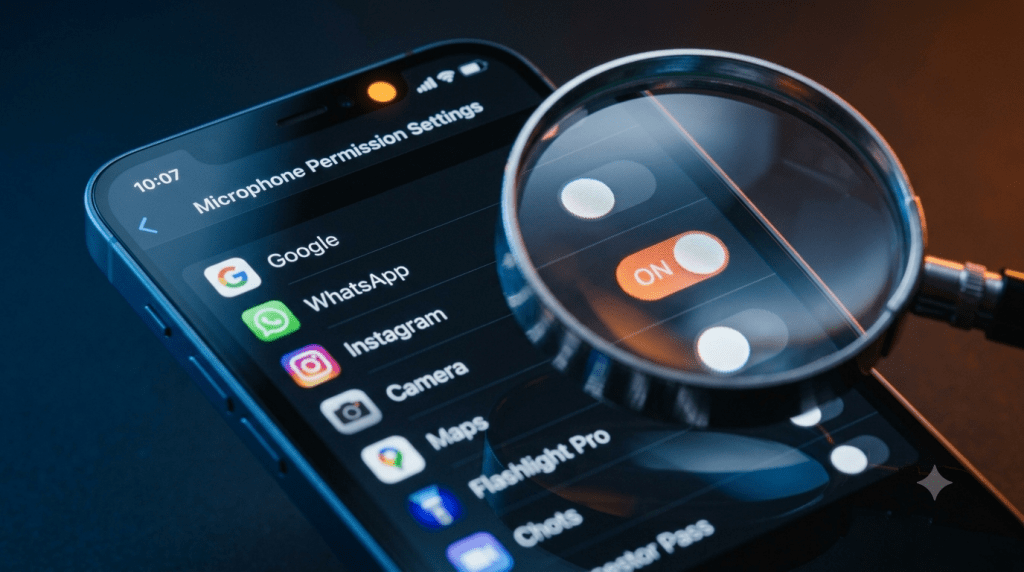
Modern phones display a privacy indicator whenever the microphone is active: an orange dot near the top of the screen on iOS, or a status bar icon on Android. Both operating systems also keep a permission history showing which apps have accessed the microphone recently, letting you spot unexpected activity after the fact rather than only in the moment.
The Revocation Gap
Permissions granted years ago to an app you haven’t opened in months often remain active indefinitely. Android includes a feature that automatically revokes permissions from apps you haven’t used in a while, closing this gap somewhat. iOS does not have an equivalent automatic revocation system, meaning old, unused apps can retain microphone access indefinitely until you manually check and remove it yourself.
What ‘Allow Only While Using’ Actually Means
This setting sounds like a clean boundary, but it’s more permissive than most people assume. An app can still access the microphone under “while using” permissions if it’s running in the background or using a foreground service, a type of background process Android and iOS allow apps to keep running for specific ongoing tasks. The label suggests access stops the moment you leave the app, but the technical reality allows more continued access than the wording implies.
The Permission Audit You Should Do Right Now
On Android, go to Settings, then Privacy, then Permission Manager, then Microphone, and review every app listed there, revoking access for anything that doesn’t clearly need it for a feature you actually use. On iOS, go to Settings, then Privacy and Security, then Microphone, and do the same review. This is worth doing periodically rather than once, since new apps and updated SDKs can introduce new permission requests over time. For a broader picture of what apps and sites collect beyond microphone access, see what information do websites get when you visit them.
FAQs
Why do some apps ask for your microphone when they don’t need it, in short?
Most aren’t recording your conversations directly. They’re scanning ambient audio or using SDKs that request the permission automatically to build advertising profiles. Read the full breakdown above for all five reasons and how to check your own permissions.
Does my phone show me when an app is actually using the microphone?
Yes. iOS shows an orange dot indicator, and Android shows a status bar icon, whenever an app is actively accessing the microphone, giving you a real-time signal beyond just the permission being granted.
Can I stop ultrasonic tracking without disabling my microphone entirely?
Not reliably through a single setting, since this tracking relies on the same microphone access apps use for other purposes. Revoking microphone permission from apps that don’t need it for a core feature is the most direct way to limit exposure to this specific technique.



