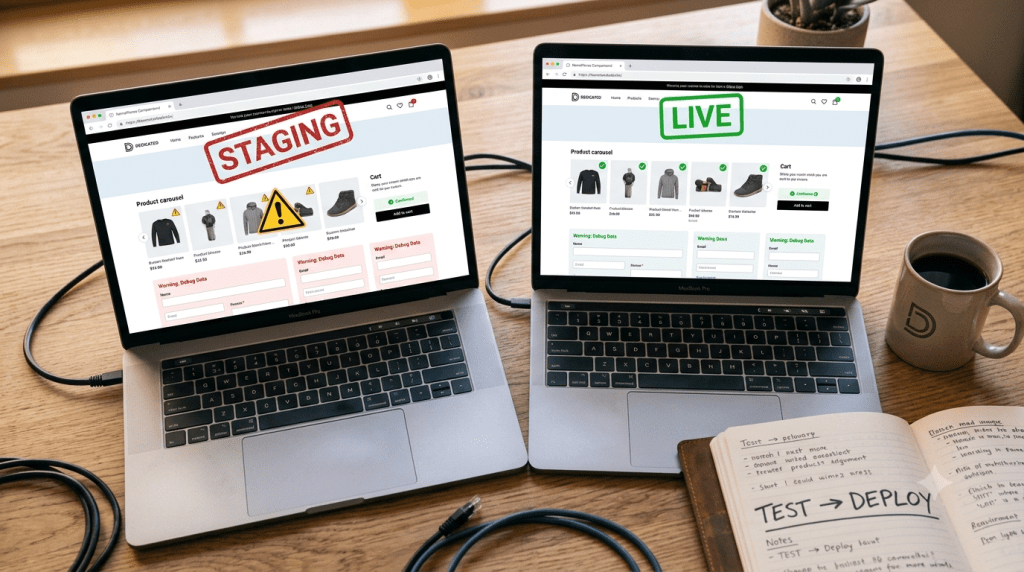
What Is a Staging Site
A production site is the live version of your website. Real visitors see it. Search engines crawl it. A staging site exists to protect that. It’s a private, near-exact copy of your production site. You test updates there first: plugins, themes, code changes, anything risky. Nothing you do on staging touches the live version. Not until you push it across yourself.
The Environment Hierarchy Nobody Lays Out Clearly
Most guides treat “staging” as a standalone idea. It isn’t. It’s the middle step in a three-part flow. Development comes first. That’s where code actually gets written, usually on a local machine. It’s messy. Incomplete. Nothing there has real consequences yet. Staging comes next. It’s the final quality check, close enough to production that testing there actually means something. Production is last. It’s the real site. Real visitors. Real consequences. Skip staging and go straight from development to production, and you’re shipping untested code straight to paying customers.
Why Staging Exists in the First Place
A WordPress core update can break your layout. A plugin install can silently conflict with another plugin. A small CSS tweak can cascade into a broken checkout page. None of this shows up until someone tries to use the site. Staging catches it first. That’s the entire reason this step exists.
The Failure Mode Nobody Warns You About: Data Drift
Here’s the part almost every guide buries in one sentence. While you’re testing on staging, your live site keeps running. New orders come in. New comments get posted. New users sign up. None of that reaches staging. Your staging copy was frozen the moment you created it.
Now push your changes live. Depending on your deployment method, you can overwrite that real, accumulated activity with your outdated staging snapshot. For an e-commerce site, that’s not a small mistake. That’s hours, sometimes days, of real customer data gone. This single issue causes more staging disasters than plugin conflicts ever do.
Staging Is a Bubble: What It Can’t Actually Test
Staging environments are isolated. More than most guides admit. Payment gateways like Stripe or PayPal usually won’t process real transactions from a staging domain. They’re built to reject non-production requests on sight. Email tools like Mailchimp often won’t send real emails from staging either. Third-party APIs frequently reject staging domains outright.
So a payment flow that works perfectly on staging can still fail once it’s live. An email trigger can behave completely differently in production. You’re testing in a bubble. The real world doesn’t always match it.
Staging Sites Are Public by Default
This gets treated as a footnote. It shouldn’t be. A staging site sits on the open internet unless you lock it down yourself. Search engines can index it. Anyone who finds the URL can view it, including features you haven’t released yet. Password protection isn’t optional here. Neither is a no-index tag, the instruction that tells search engines to skip a page entirely. Skip both, and your staging site is quietly public.
Not Every Hosting Plan Includes Staging
Budget shared hosting often skips a built-in staging tool entirely. That leaves manual setup or a plugin as your only options, and both demand more technical comfort than many site owners have. This is a real barrier. Someone on a bare-bones plan without staging access is often testing changes directly on their live site, whether they realize the risk or not. Managed WordPress hosting commonly includes one-click staging by default, specifically because this gap is so common on cheaper plans.
Pushing Changes Live Isn’t Always One Click
Deployment methods vary widely. Some hosts genuinely offer a one-click push from staging to live. Others require you to manually migrate files and the database separately, a process with more room for error. Some workflows use Git-based deployment instead, pushing changes through version control rather than a dashboard button. Which one you’ll face depends entirely on your host. Don’t assume it’s simple until you’ve confirmed it.
How to Set Up a Staging Site
Three common approaches exist. A hosting provider’s built-in tool is the easiest, when it’s available. A staging plugin, like WP Staging or Duplicator, builds a copy on your existing hosting without needing that provider feature, though it takes more manual setup. Manual setup itself, creating a subdomain, copying files, migrating the database by hand, gives you full control but requires real familiarity with your hosting environment.
FAQs
What is a staging site?
It’s a private copy of your live website, used to test changes before they reach real visitors. See the sections above for the specific risks, like data drift and limited API testing, that come with using one.
What happens to new orders or comments on my live site while I’m testing on staging?
They stay on your live site as normal. The risk shows up when you push staging changes back to production. That process can overwrite the real activity that piled up on live while staging sat frozen.
Do I need a staging site for a small blog?
Probably not urgently. Without e-commerce or active user accounts, the data drift and integration risks that make staging essential elsewhere matter far less.



