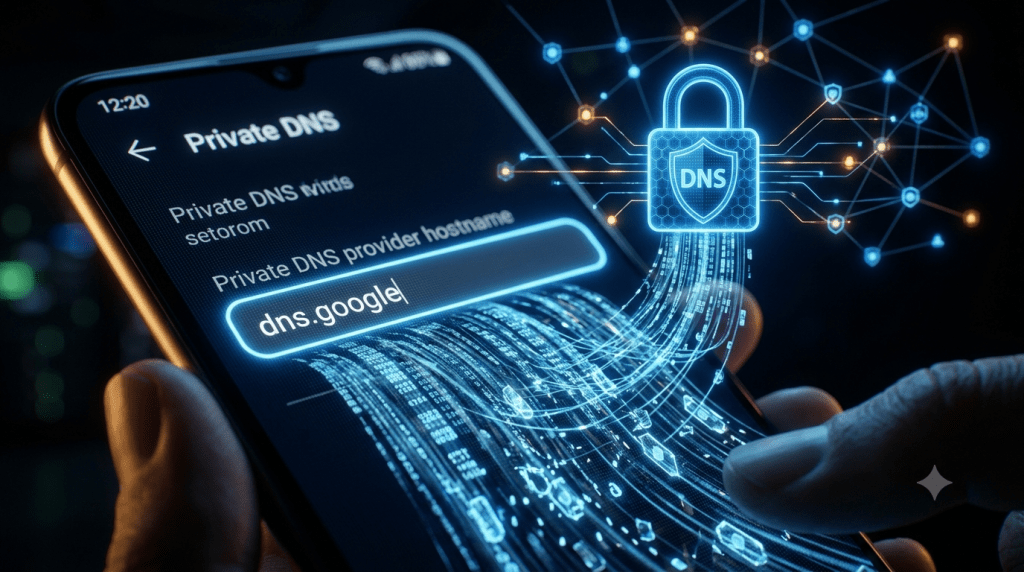
What Is Private DNS on Android
What is Private DNS on Android starts with a name that oversells what the feature actually does. Private DNS encrypts your DNS lookups, the requests that translate a domain name into an IP address, so your ISP and anyone sniffing public Wi-Fi can’t see which domains you’re resolving. It does not hide your IP address, and it does not hide which server you actually connect to afterward. The name suggests broad privacy. The reality is one specific layer of it. For the mechanics of DNS resolution this feature is encrypting, see DNS records explained: A, CNAME, MX, and more.
How Private DNS Actually Works
When Private DNS is active, your device establishes an encrypted tunnel with your chosen DNS provider using DNS-over-TLS, or DoT, a protocol that wraps DNS queries in TLS encryption over port 853, the dedicated port DoT uses. Instead of sending a plain, readable DNS query to whatever server your network hands you, usually your ISP’s, your device sends an encrypted query directly to a provider like Cloudflare or Google. The provider decrypts it, resolves the domain, and sends the encrypted answer back. Anyone watching the network traffic in between sees only that an encrypted connection occurred, not which domain was actually requested.
The Three Settings Explained
Android offers three Private DNS states, and the differences matter more than most guides explain:
- Off: DNS queries go out in plaintext, fully visible to your ISP or anyone else positioned on the network
- Automatic: the device attempts encrypted DNS only if the current network’s DNS server supports it, and silently falls back to plaintext if it doesn’t, without any warning that protection just quietly disappeared
- Private DNS provider hostname: you manually specify a provider, like dns.google or Cloudflare’s 1dot1dot1dot1.cloudflare-dns.com, forcing encrypted DNS through that specific provider regardless of what the local network supports
Automatic mode is the one most people assume means “always protected.” It doesn’t. If you connect to a network whose DNS server doesn’t support DoT, Automatic mode simply reverts to unencrypted queries.
Private DNS Android 11 Missing: Where the Setting Went
Private DNS Android 11 missing is one of the most searched frustrations around this feature, and it’s a real change, not user error. On Android 11 and later, the manual Private DNS toggle under Settings that older guides describe no longer exists in the same form for most configurations. To get equivalent encrypted DNS protection, users generally need to install the Cloudflare 1.1.1.1 + WARP app, which handles the encrypted DNS setup separately from the system settings menu that used to control it directly.
DoH3 Replaced DoT on Newer Devices
Android has also shifted its underlying protocol on newer versions. DNS-over-HTTP/3, or DoH3, is now used instead of DoT for well-known DNS providers on Android 11 and later. DoH3 offers meaningful performance gains, reducing median query time by roughly 24 percent and 95th-percentile query time by around 44 percent compared to DoT, since it builds on QUIC, a faster underlying transport protocol than the TLS connection DoT relies on.
How to Enable Private DNS on Android
Android 9 and 10
Go to Settings, then Network and Internet, then Private DNS. Select the “Private DNS provider hostname” option and enter a provider address, such as dns.google, 1dot1dot1dot1.cloudflare-dns.com for Cloudflare, or dns.quad9.net for Quad9, a provider that also blocks known malicious domains as part of its resolution service.
Android 11 and Later
Install the Cloudflare 1.1.1.1 + WARP app from the Play Store and enable it, since the manual system setting most guides still reference generally isn’t available in the same way on these versions.
What Private DNS Does Not Hide
| Threat | Protected by Private DNS? | Why |
|---|---|---|
| ISP seeing your DNS queries | Yes | Encrypted via DoT or DoH3 |
| Public Wi-Fi sniffing your DNS | Yes | Encrypted in transit |
| ISP seeing your IP address | No | Your IP is visible on every connection regardless of DNS encryption |
| ISP seeing the SNI hostname | No | SNI, the plaintext hostname field sent during the HTTPS handshake, still exposes which site you’re connecting to |
| ISP seeing connection timing and patterns | No | Metadata like connection timing remains visible even with encrypted DNS |
| Websites tracking you | No | DNS encryption has no effect on cookies or browser fingerprinting |
This is the gap that “Private DNS” as a name doesn’t communicate. Your ISP can no longer read the DNS query itself, but SNI, Server Name Indication, still broadcasts the hostname you’re connecting to in plaintext during most HTTPS connections, meaning the privacy gain is real but narrower than the name implies.
The Trust Tradeoff
Turning on Private DNS doesn’t remove an observer from the picture. It swaps one for another. Your queries stop going to your ISP’s resolver and start going to whichever provider you chose, and that provider can see every query you send just as clearly as your ISP could before. The practical question becomes whether you trust Cloudflare, Google, or Quad9 with that visibility more than your ISP, which is often a reasonable bet given published data retention practices, but it isn’t the same as removing the visibility entirely.
Corporate Devices and Port Blocking
On a corporate-managed device, Mobile Device Management, or MDM, policies can override Private DNS settings entirely, meaning your personal configuration doesn’t apply if your employer’s device policy takes precedence. Separately, some networks block port 853, the port DoT depends on. When that happens, Private DNS fails, and the device may report “No internet access” even though the underlying connection is fine, since the failure is specific to the encrypted DNS handshake rather than general connectivity. This connects to the broader question of what your network administrator can see regardless of your device settings, covered in can someone see what you’re doing on their Wi-Fi.
Private DNS vs VPN
A VPN encrypts your entire connection and hides your IP address from the sites you visit. Private DNS only encrypts the DNS lookup step, leaving your IP address, SNI hostname, and connection metadata fully visible. They solve overlapping but distinct problems, and using Private DNS doesn’t substitute for what a VPN protects, nor does a VPN make Private DNS redundant, since a VPN’s own DNS handling varies by provider.
FAQ
Does Private DNS hide my browsing from my employer?
No. On a personal device connected to a corporate network, or especially on a company-managed device, your IP address and SNI hostname remain visible regardless of Private DNS, and MDM policies can override the setting entirely on managed devices.
Can Private DNS block ads?
Not by default. Standard Private DNS only encrypts queries; blocking ads or malicious domains requires choosing a filtering-capable provider or a separate DNS filtering app.
Why does my phone say “No internet access” after enabling Private DNS?
This usually means the current network is blocking port 853, which DoT depends on, causing the encrypted DNS handshake to fail even though the underlying internet connection works.



